MultiSite Analytics is a free WordPress plugin by Altima Web. It brings Google Analytics 4 and Google Search Console for all of your websites into one dashboard, inside your own WordPress admin, with plain-English insights on what changed and what to do next.
Free · Requires WordPress 6.0+ and PHP 7.4+ · Works with any Google Analytics 4 property · How to install
What it does
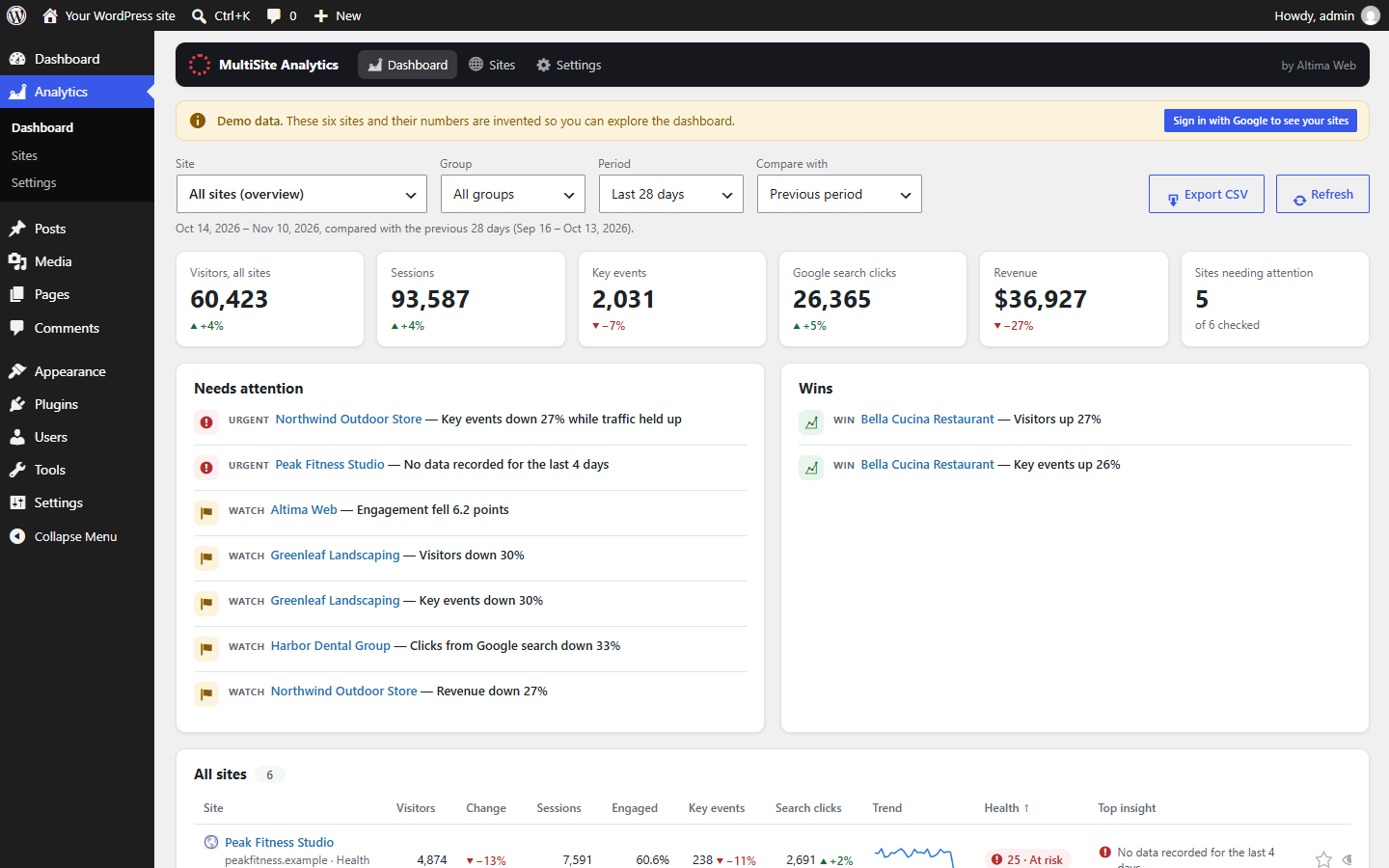
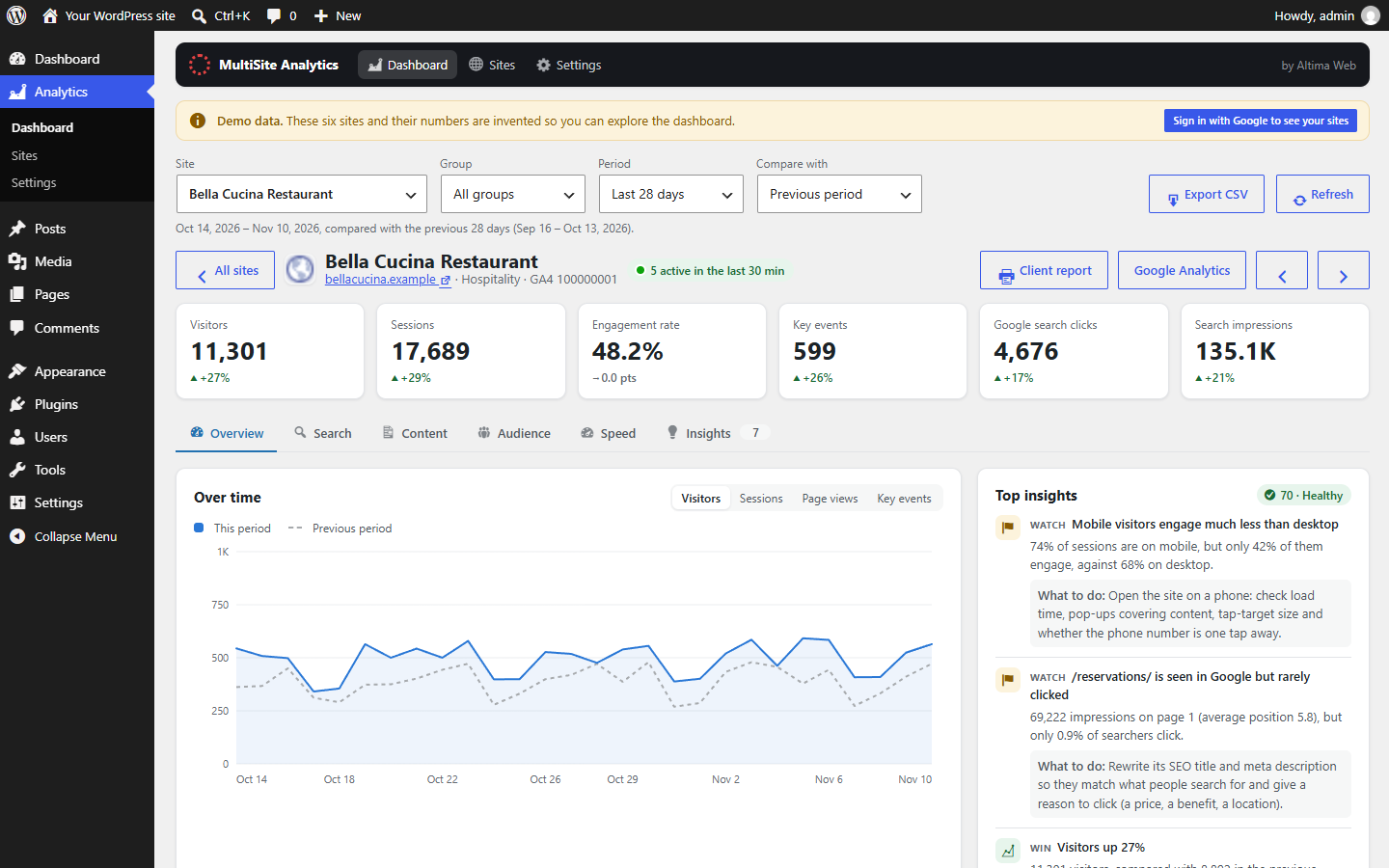
- One overview of every site: visitors, sessions, engagement, key events and revenue for all your Google Analytics 4 properties, with trends and a health score for each.
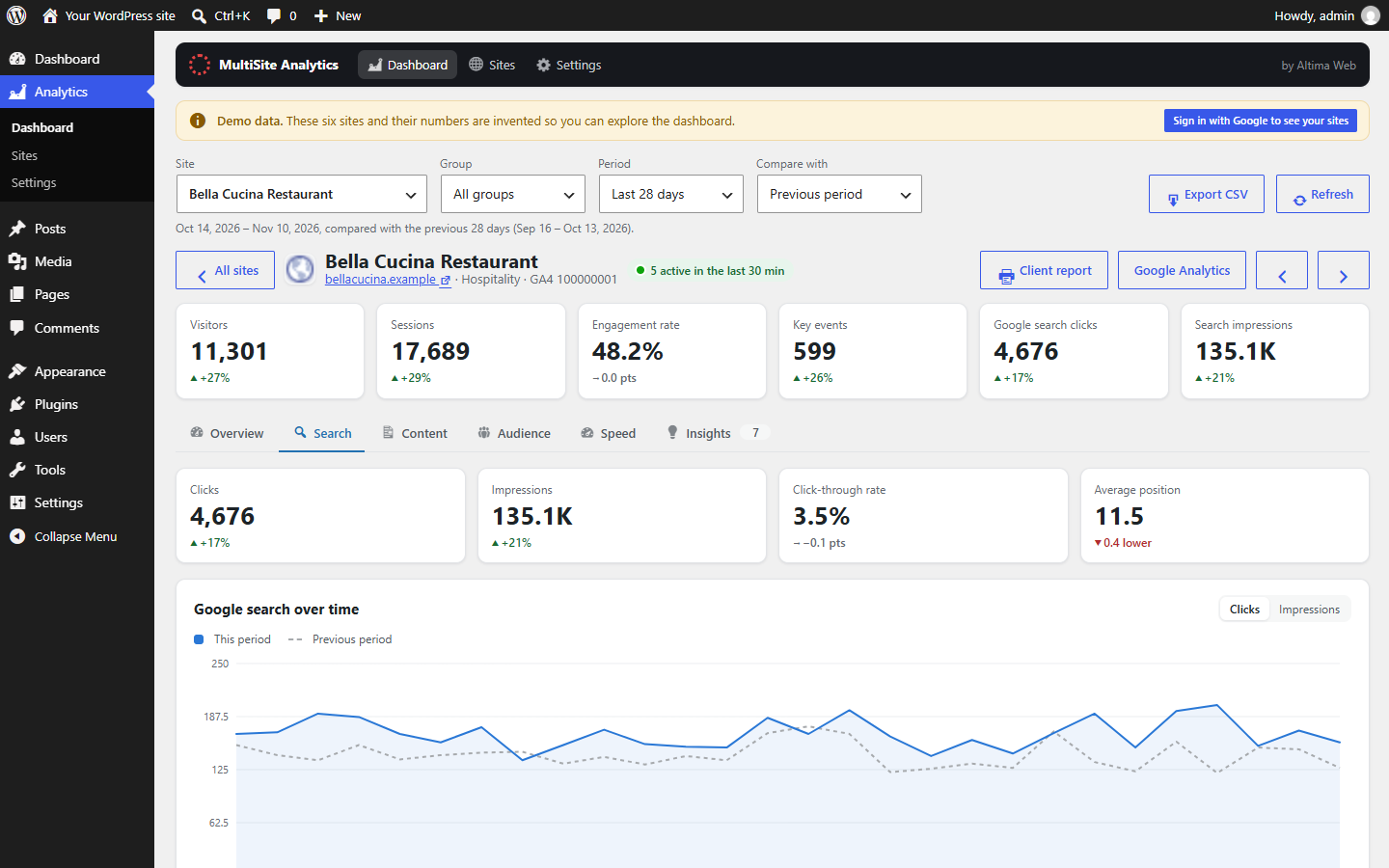
- Google Search Console built in: clicks, impressions, average position and the searches people use to find each site.
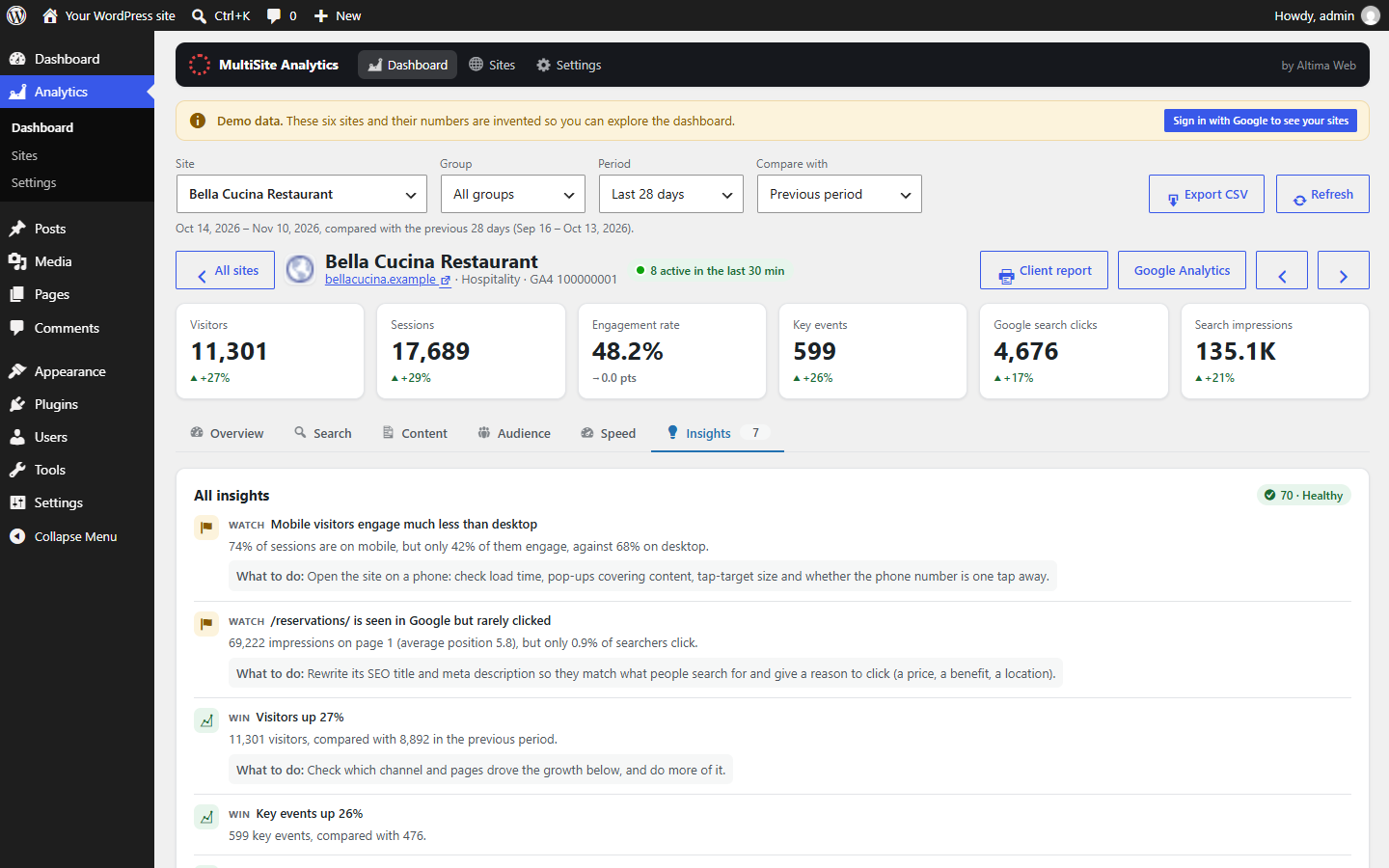
- Plain-English insights: traffic and conversion changes, tracking that stopped recording, search drops, pages gaining or losing views, and quick wins such as pages almost on Google’s first page.
- Speed and Core Web Vitals for each site, with the fixes Google suggests.
- Content and audience: top pages, landing pages, traffic sources, devices, countries, cities, and new vs returning visitors.
- Works where you work: a WordPress dashboard widget, page stats in the admin bar, a printable client report, CSV export and a weekly email digest.
- Made for agencies: branded client reports emailed to each client every month or week, plus client groups, favourites, and control over which team members can see the dashboard.
A quick tour
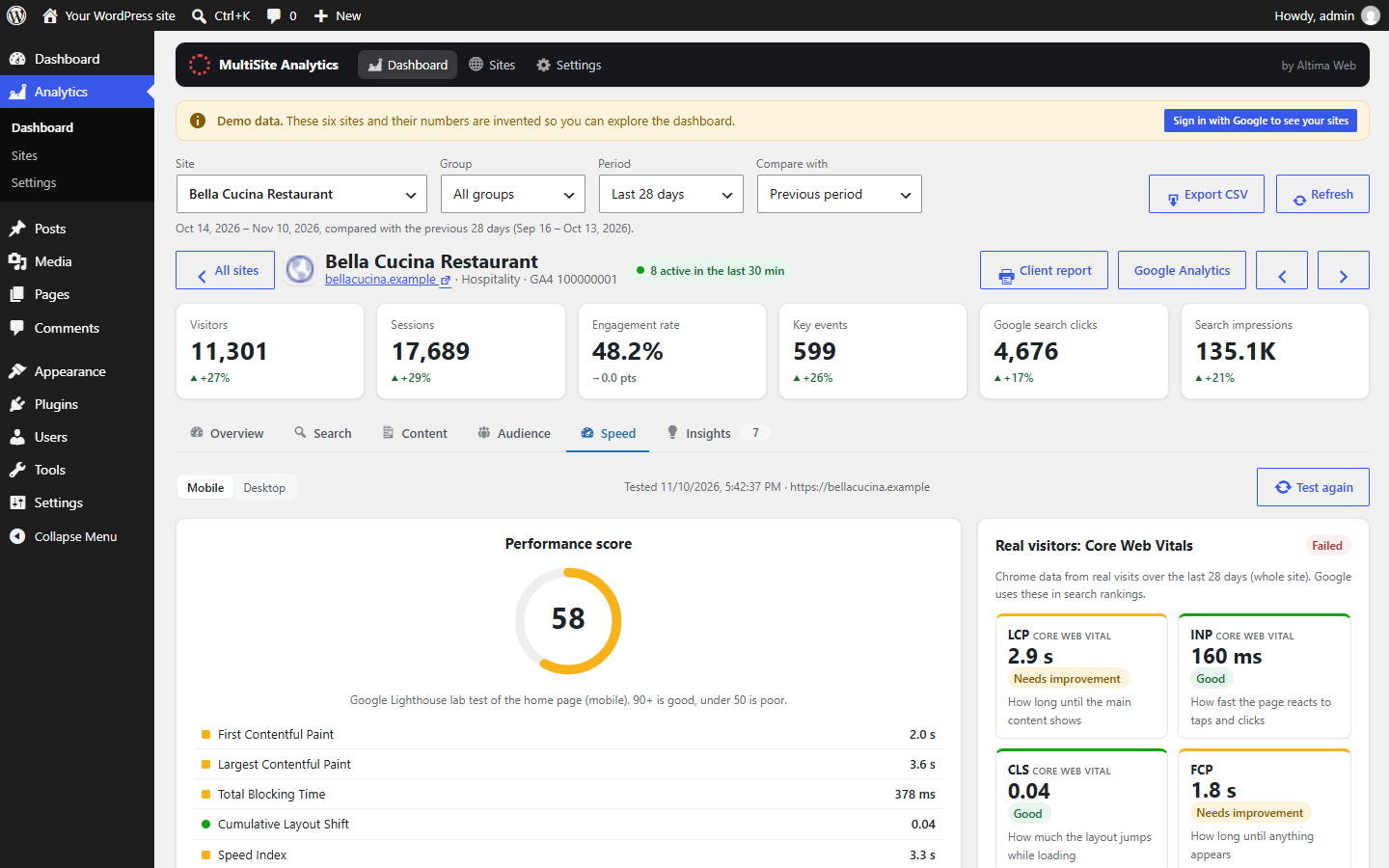
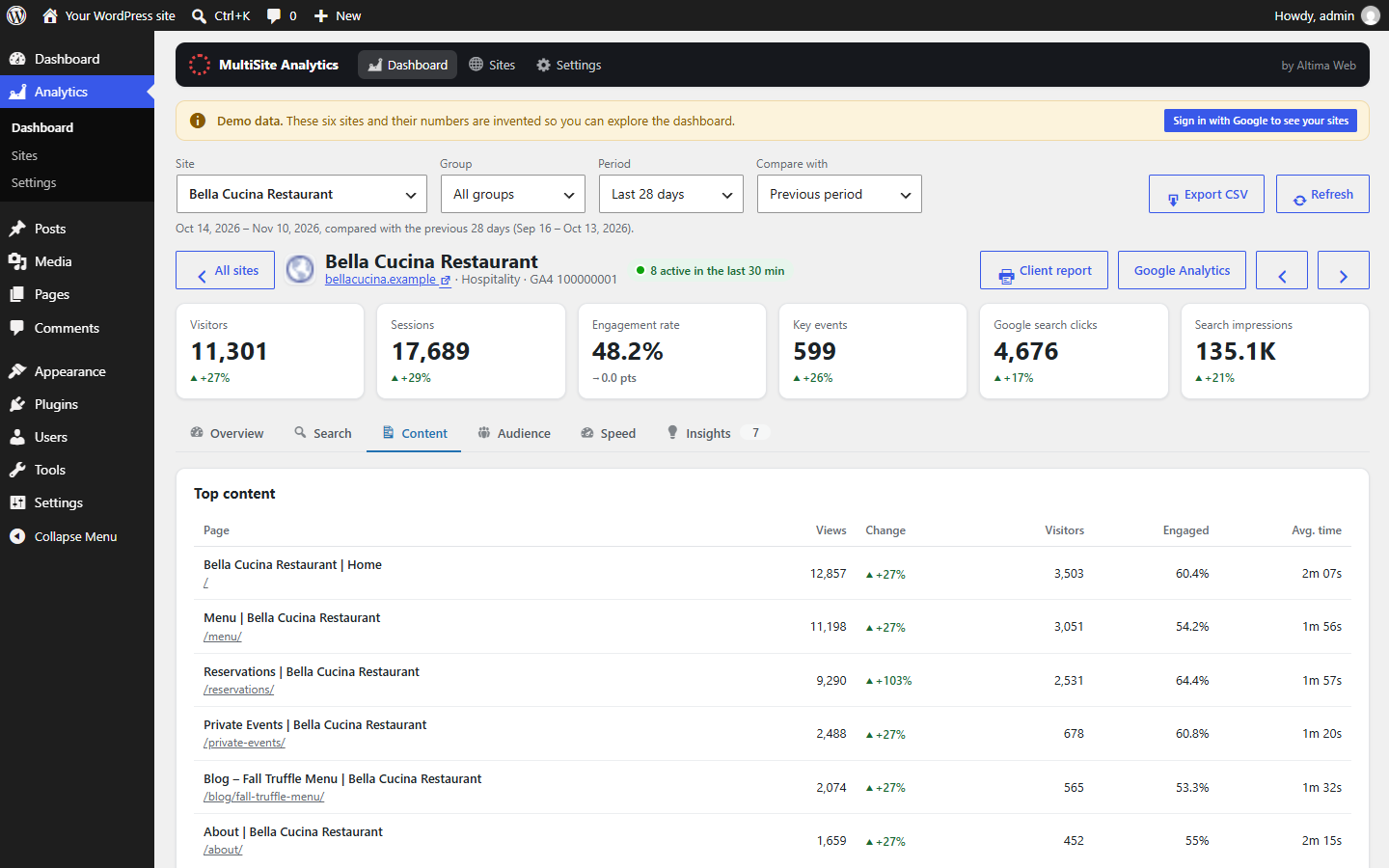
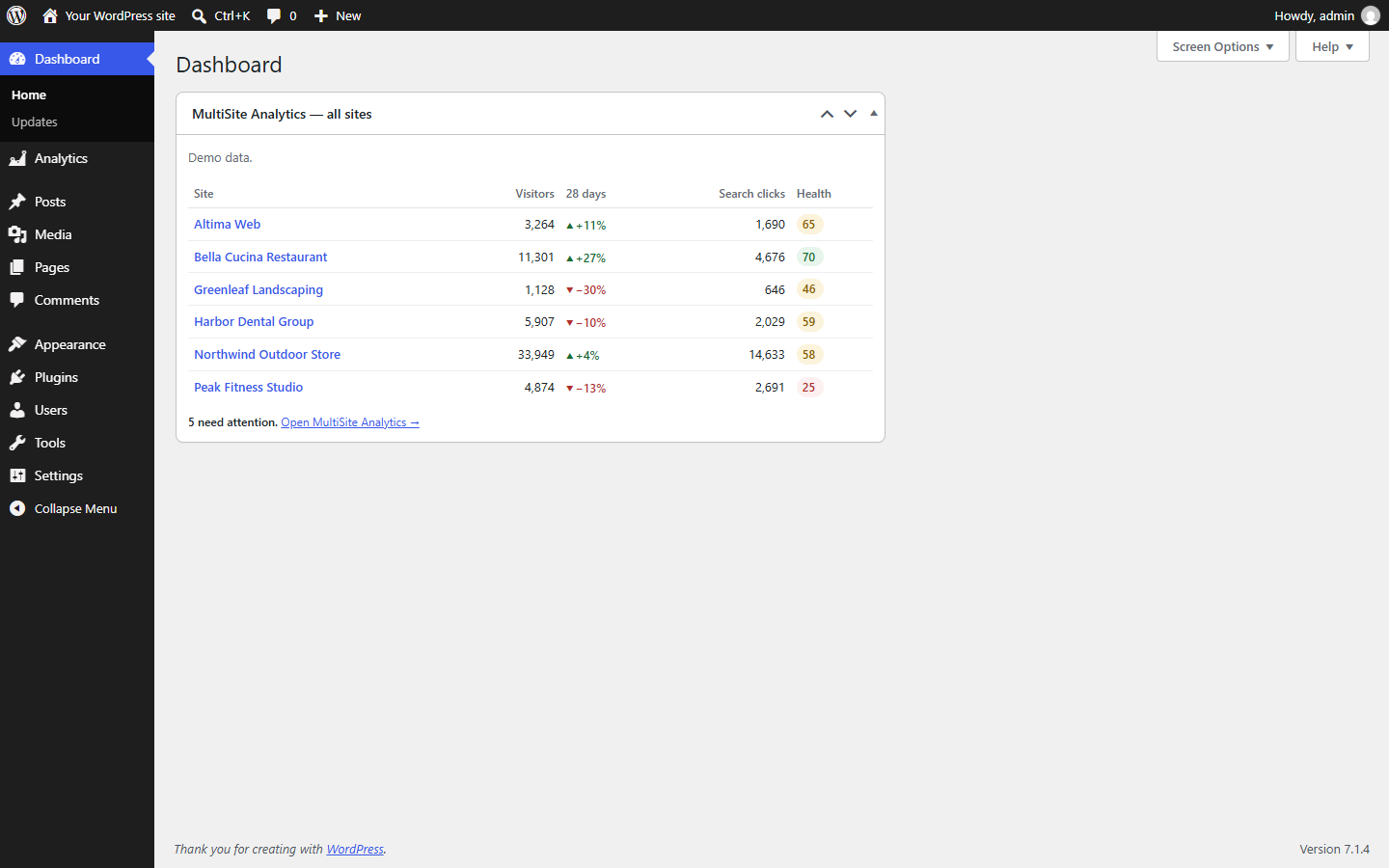
How to install
- Download the plugin (a .zip file; don’t unzip it).
- In WordPress, go to Plugins → Add New → Upload Plugin, choose the file, click Install Now, then Activate.
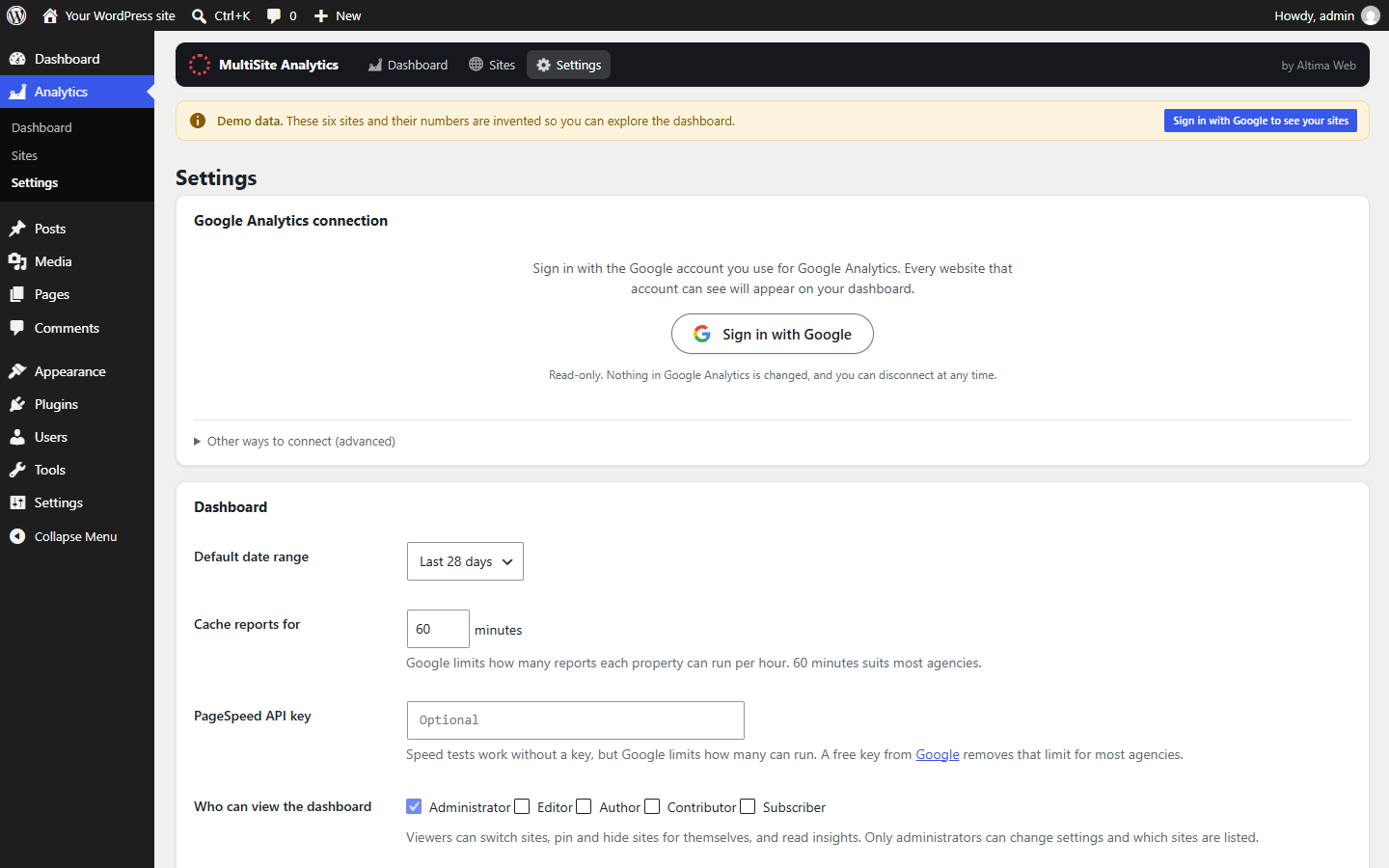
- Go to Analytics → Settings and click Sign in with Google.
- Choose the Google account you use for Google Analytics and allow read-only access to Analytics and Search Console.
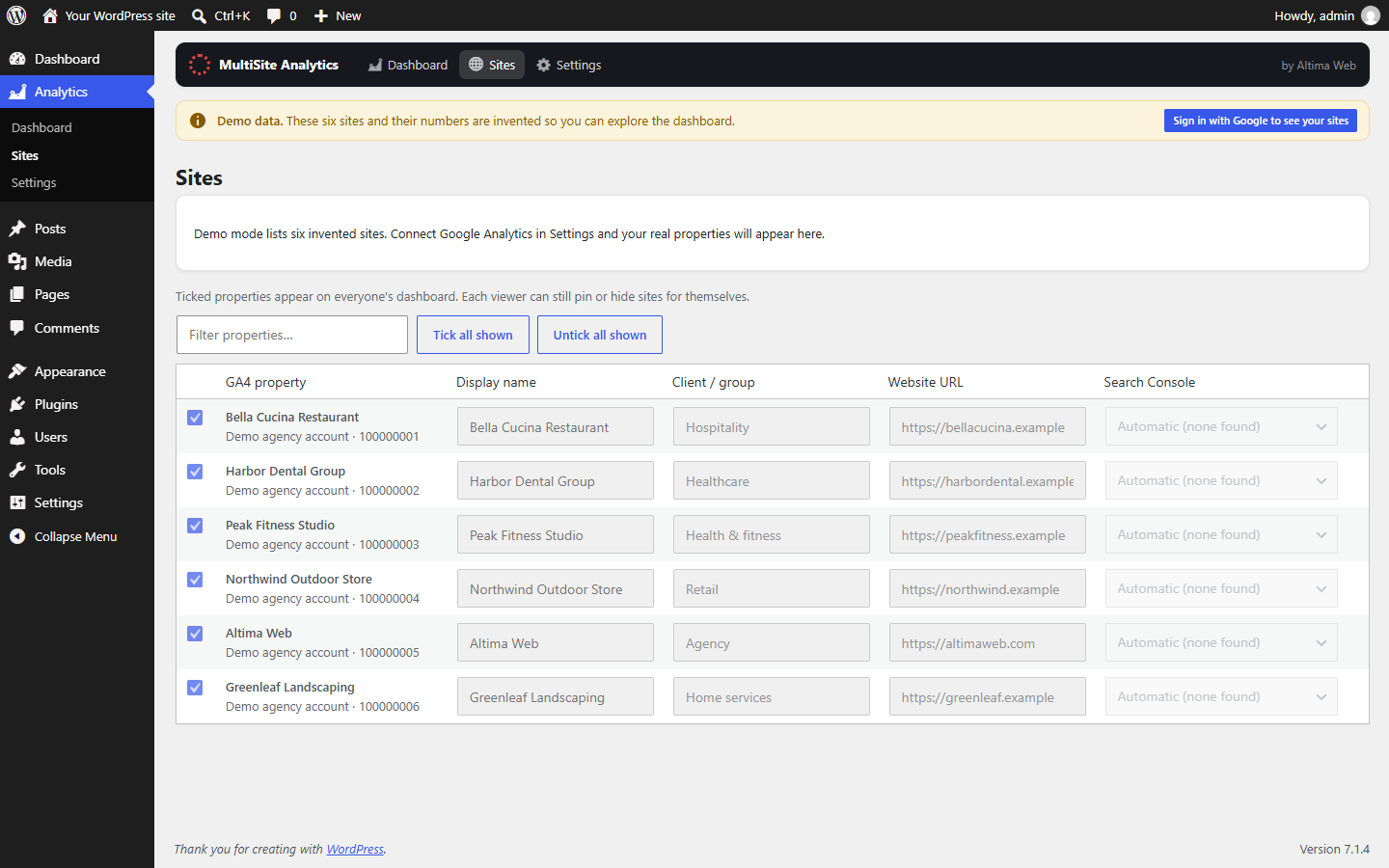
- Every Google Analytics 4 property that account can already see is listed. Untick any you don’t want, and you’re done.
Questions
Do I need a Google Cloud project or API keys?
No. Click Sign in with Google and you’re connected. Advanced users can connect with their own Google Cloud app or a service account instead, under Settings → Other ways to connect.
Does it add tracking code or slow my site down?
No. It only reads reports Google already has. Nothing is added to your visitors’ pages, and reports are cached so your admin stays fast.
Can I see client sites that aren’t on this WordPress install?
Yes. It shows every Google Analytics 4 property your Google account can access, wherever the site is hosted, even if it isn’t WordPress.
Why does Google say the app hasn’t been verified?
MultiSite Analytics is completing Google’s app verification. Until that’s done, Google shows a notice when you sign in: click Advanced, then Go to MultiSite Analytics. Access stays read-only either way.
Your Google data
MultiSite Analytics requests read-only access to Google Analytics (analytics.readonly) and Google Search Console (webmasters.readonly), plus your email address to show which account is connected. It uses this only to show you your own reports inside your own WordPress admin. It never changes anything in Google Analytics or Search Console, and the data is not sold, shared or used for advertising. Reports are requested directly by your WordPress site, where the connection is stored encrypted. Altima Web’s sign-in service (connect.altimaweb.com) only relays the sign-in and does not store your analytics data or tokens.
MultiSite Analytics’ use and transfer of information received from Google APIs adheres to the Google API Services User Data Policy, including the Limited Use requirements. Full details are in our Privacy Policy and Terms of Service.
You can disconnect at any time from Analytics → Settings in the plugin, or at myaccount.google.com/permissions.
Contact
Questions or support: [email protected].